
Project Repository: https://gitlab.woojin.help/wjATControlTeam/wabot-app
What is a CI/CD Pipeline?
에이 CI/CD Pipeline (Continuous Integration/Continuous Deployment) is an automated process that runs every time you make changes to your code.
- Builds Docker images from your code automatically
- Tests the code (if tests are present)
- Publishes the images to a registry
- Deploys the application automatically
Think of it as your personal assistant that takes care of all the boring, repetitive tasks every time you write new code.
How Our Pipeline Works
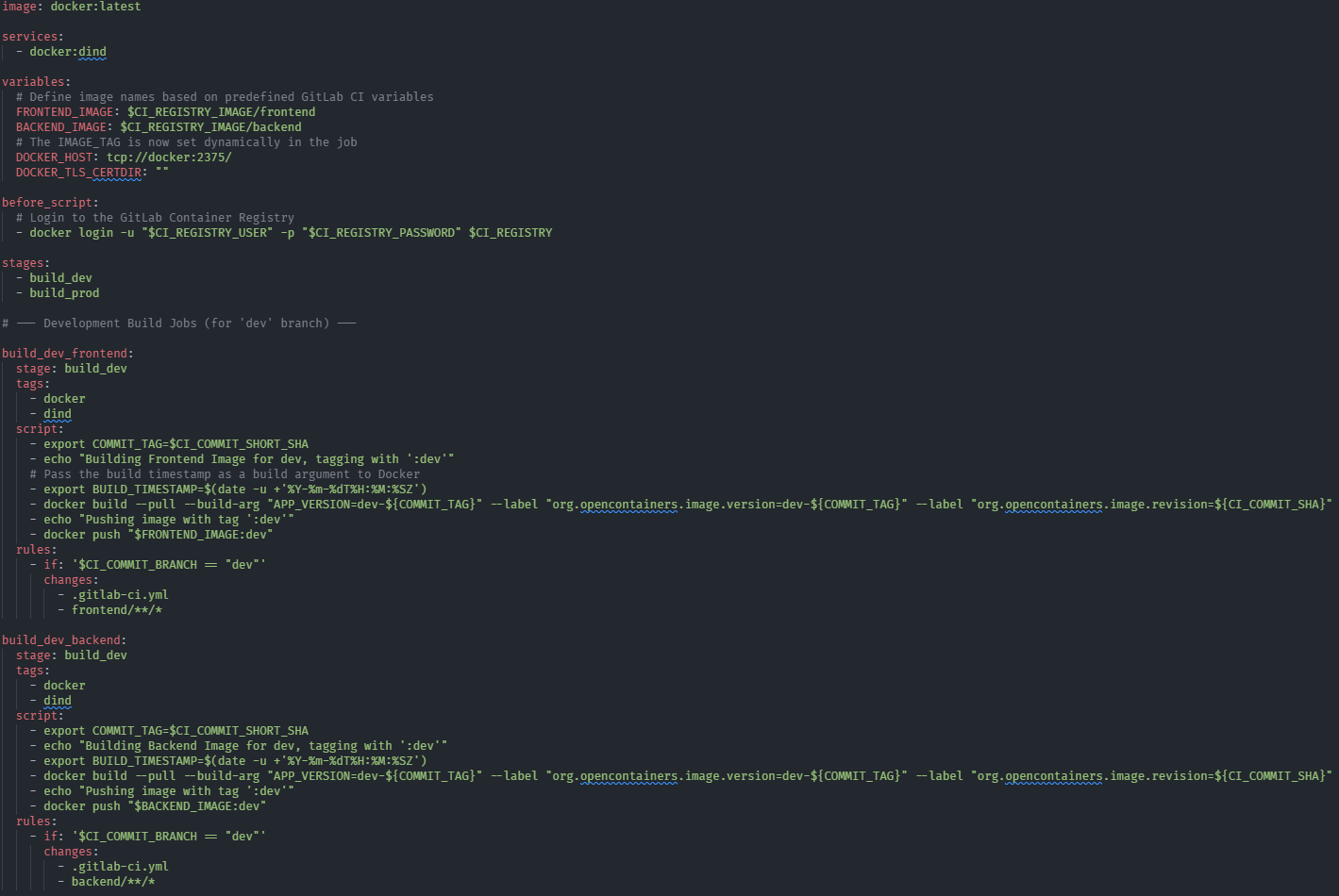
Our pipeline is defined in the `.gitlab-ci.yml` file and gets triggered by automatically by Gitlab on certain conditions.
Development (`dev` branch)
- Trigger: Every code commit to `dev` branch
- Creates: Images with `:dev` tag
- Usage: Office development and testing
- Updates: Automatic every 30 seconds
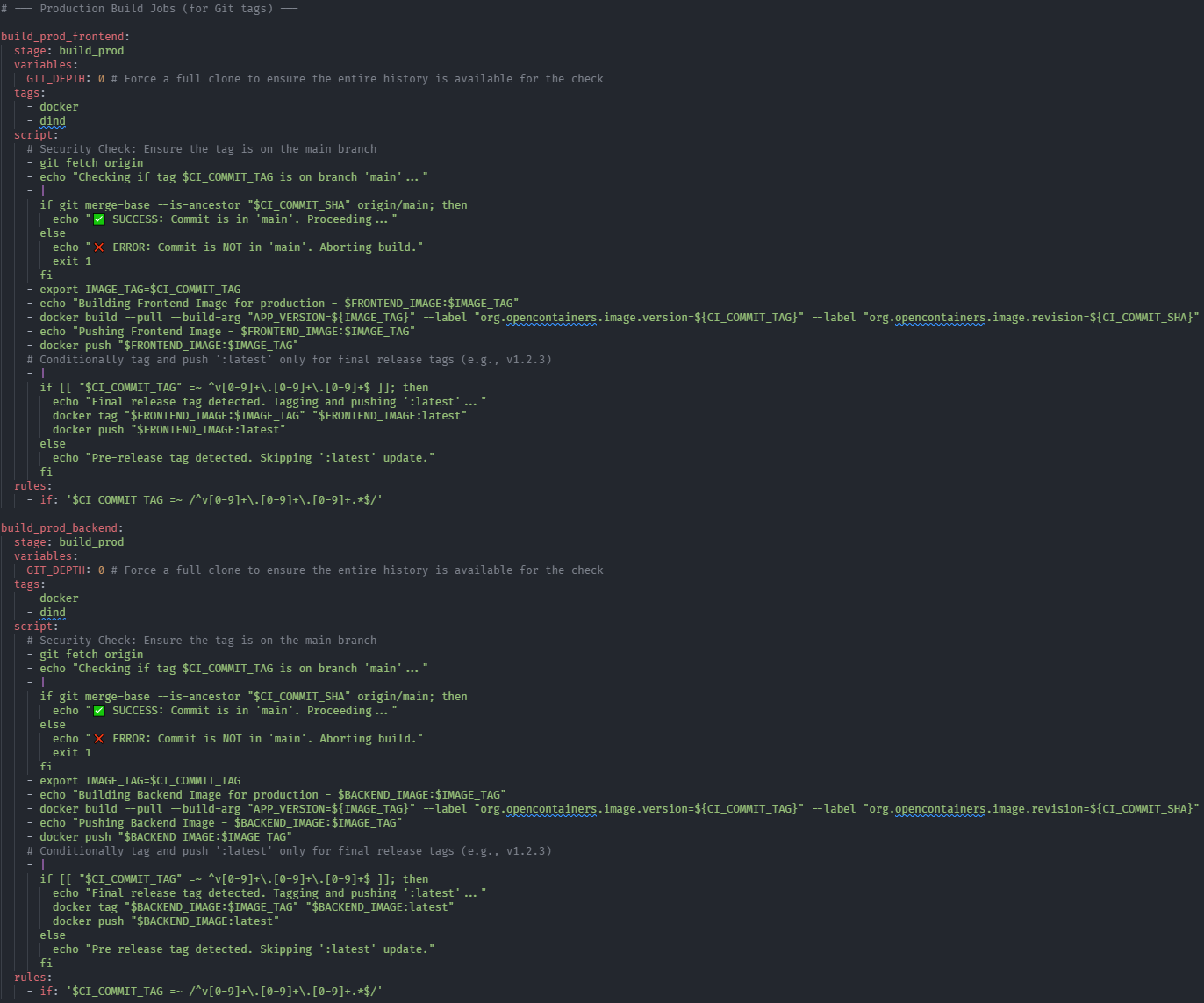
Serial Production (`v1.2.3` tags)
- Trigger: Git tags like
v1.2.3(only frommainbranch) - Creates: Images with version tag +
:latesttag - Usage: Serial production and software releases
- Updates: Manual, controlled production deployment
Production Testing (`v1.2.3-beta` tags)
- Trigger: Git tags like
v1.2.3-beta1(only frommainbranch) - Creates: Images with version tag only
- Usage: Production testing and validation
- Updates: Manual deployment for testing
Summary
| Tag | Usage | Update Frequency | Stability |
| :dev | Office development & testing | Every commit | Experimental |
| :v1.2.3 -> :latest | Serial production & software releases | 수동 | Production-ready |
| :v1.2.3-beta | Testing before software release | 수동 | Stable |
Security Features
- Serial production tags must come from `main` branch only
- Prevents accidental deployments from development branches
- Beta versions don’t get `:latest` tag (prevents automatic production updates)