What is Smartmontools?
Smartmontools is a set of utilities that monitors the Self-Monitoring, Analysis, and Reporting Technology (SMART) built into modern hard drives and SSDs. It helps users assess the health of their storage devices and predict potential failures. It can also perform drive self-tests and provide detailed diagnostic information.
Installation
To install Smartmontools on a Debian-based system:
sudo apt update
sudo apt install smartmontools
If you are using our Linux Image, it’s already preinstalled, so you can skip this step.
Checking SMART Status
1. Identify the drive – Use lsblk 또는 fdisk to list all available drives:
lsblk -d
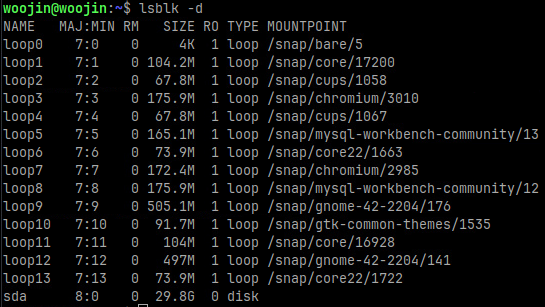
Note the device name (e.g., /dev/sda).
2. Check if SMART is enabled:
sudo smartctl -i /dev/sda
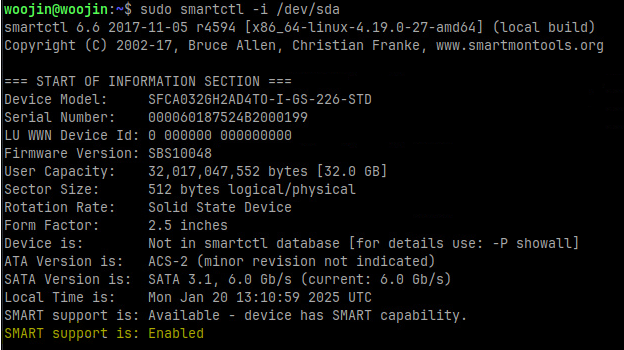
3. Enable SMART if necessary:
sudo smartctl –smart=on –offlineauto=on –saveauto=on /dev/sda
Reading SMART Information
1. Quick Health Check: To get a summary of the drive’s health:
sudo smartctl -H /dev/sda

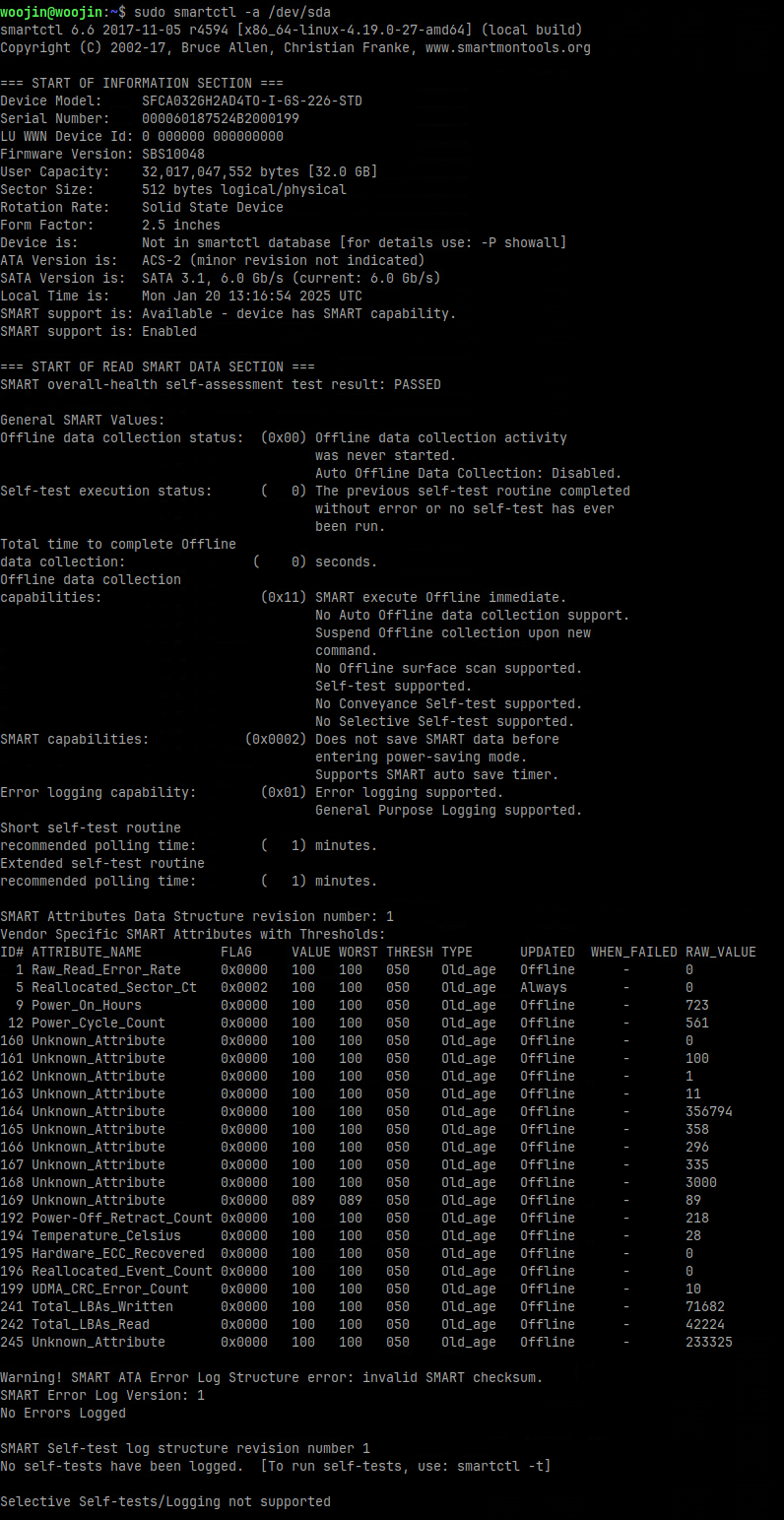
2. Detailed SMART Information: For a comprehensive report, including temperature, errors, and other attributes:
sudo smartctl -a /dev/sda
3. Perform a Self-Test: Initiate a short self-test:
sudo smartctl -t short /dev/sda
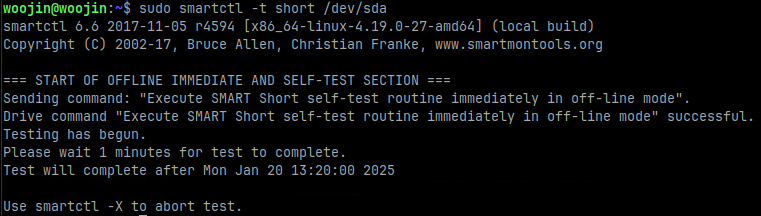
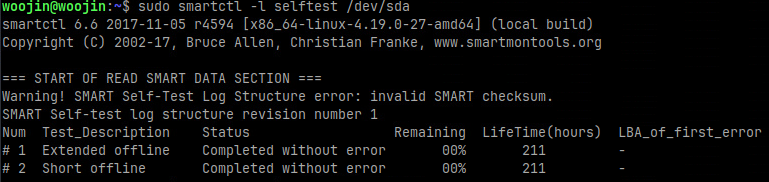
Wait one minute to complete the test and then run following command to see the restult:
sudo smartctl -l selftest /dev/sda
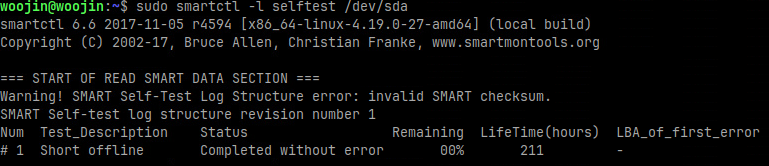
4. Perform a Self-Test: Initiate a long self-test:
sudo smartctl -t long /dev/sda
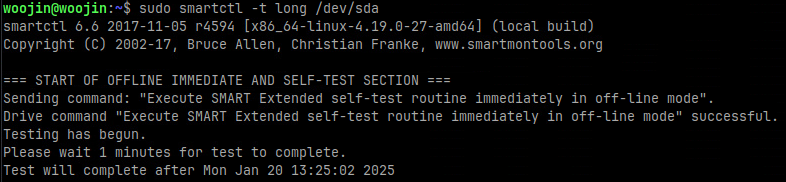
Wait one minute to complete the test and then run following command to see the restult:
sudo smartctl -l selftest /dev/sda