


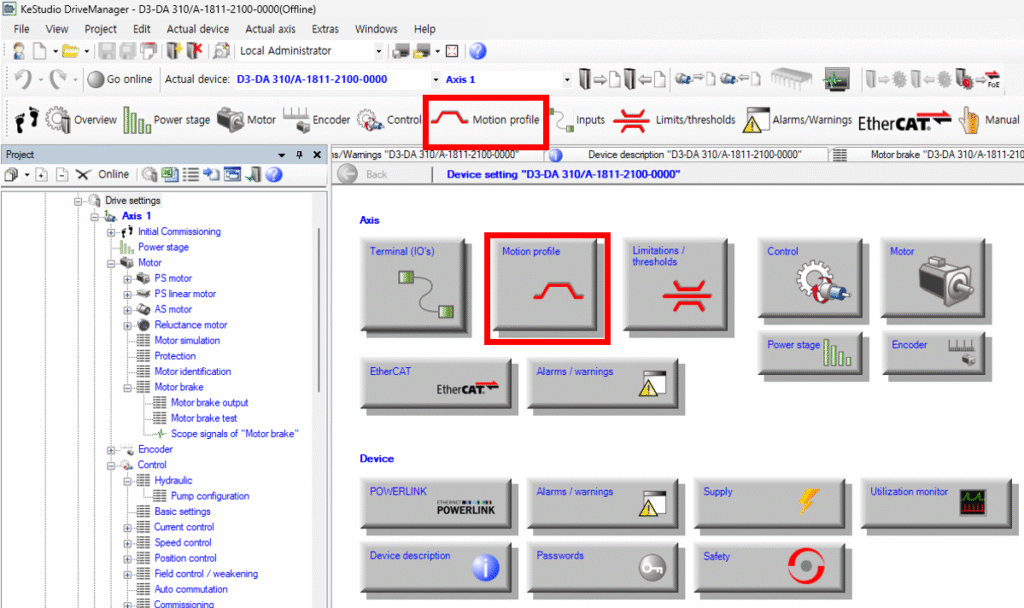
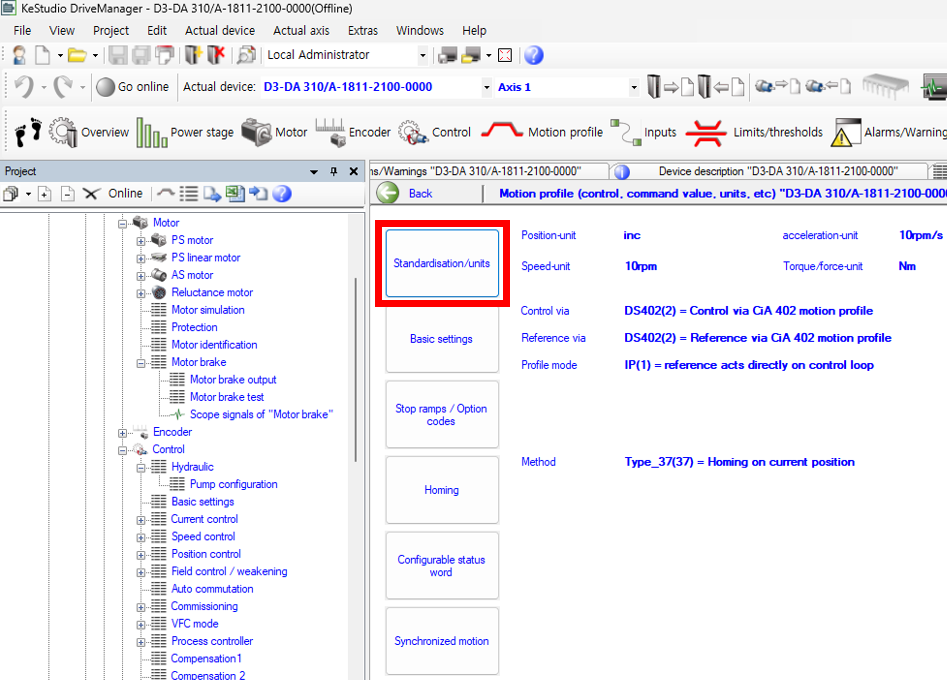
- This is how to navigate to the unit configuration screen in Drive Manager. Go to Overview screen -> Click Motion profile -> Click Standardisation/units button.
2. The configuration screen appears as shown below. I will explain each section that needs to be configured.
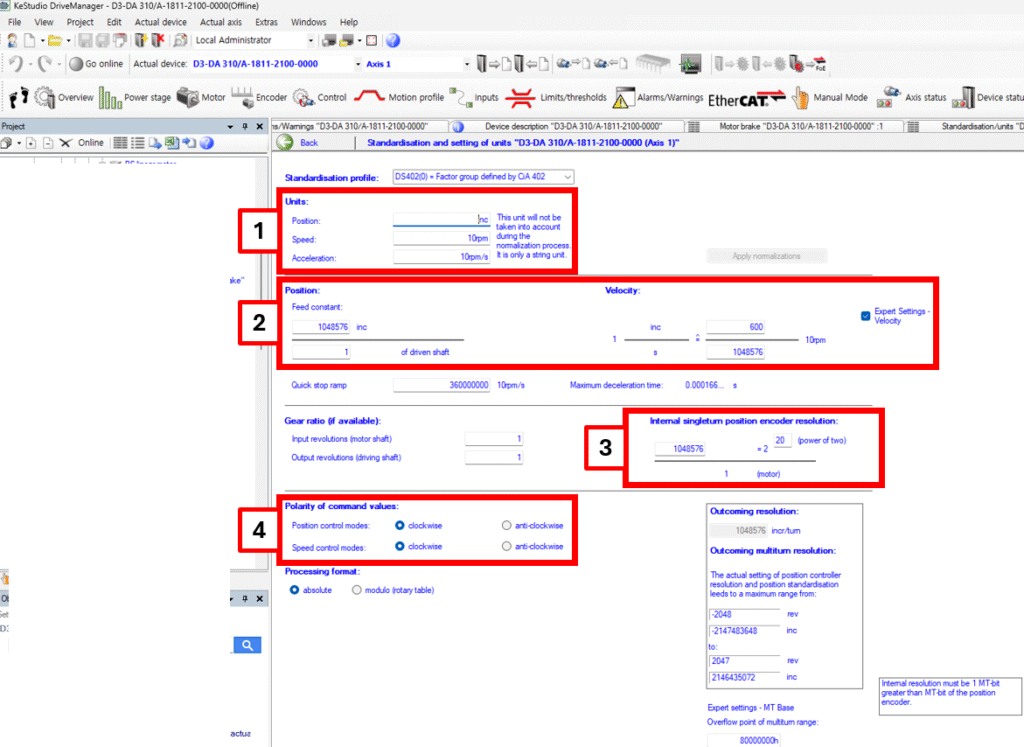
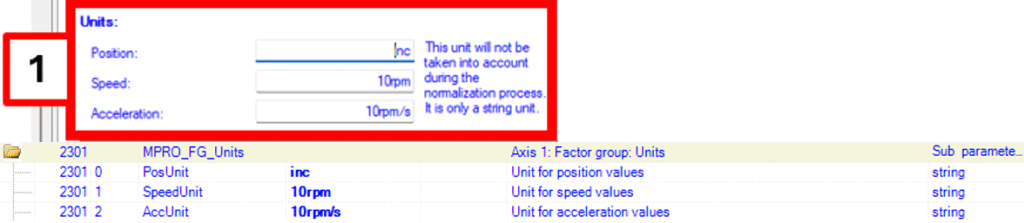
1) Unit settings. These are unit settings for position, velocity, and acceleration respectively. The values of D3 parameters P2301[0] ~ [2] are displayed.
2) Settings for encoder change per motor revolution and corresponding velocity settings. The values of D3 parameters P24722[0], [1] / P2258[0], [1] are displayed respectively.For Velocity settings, you should configure how much the encoder value changes when the motor rotates one revolution per second (60rpm). In the example shown in the photo below, since the unit is 10rpm, it means that at 60(*10)rpm, the encoder value increases by 1048576.
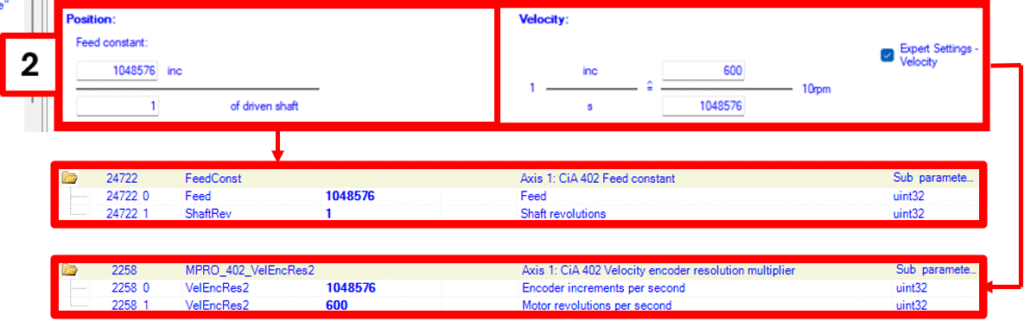
3) Settings for encoder value change per motor revolution. When you modify P24719[0], the power of 2 is automatically calculated and updated.

4) Settings for motor rotation direction. This can be configured through Bit 6 and 7 of P24702[0].
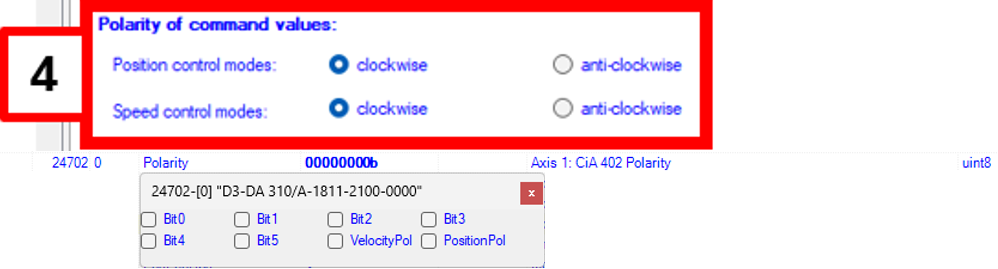
The settings according to each bit value are shown in the table below:PolarityBit 6 – PositionFALSE : clockwise (Normal)TRUE : anti-clockwise (Reversed)PolarityBit 7 – SpeedFALSE : clockwise (Normal)TRUE : anti-clockwise (Reversed)
| Polarity | Bit 6 – Position | FALSE : clockwise (Normal)TRUE : anti-clockwise (Reversed) |
| Polarity | Bit 7 – Speed | FALSE : clockwise (Normal)TRUE : anti-clockwise (Reversed) |