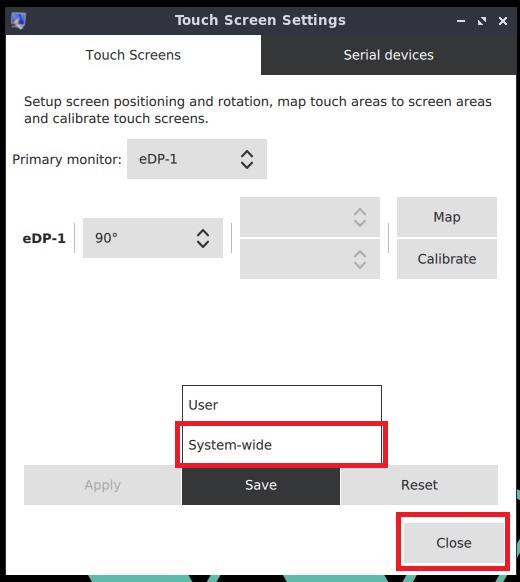

Note: This setup is only applicable for linux image versions >=9.
When a new image is installed on the HMI PC, the screen may appear rotated incorrectly on the first boot.
To correct the screen orientation, please follow these steps:
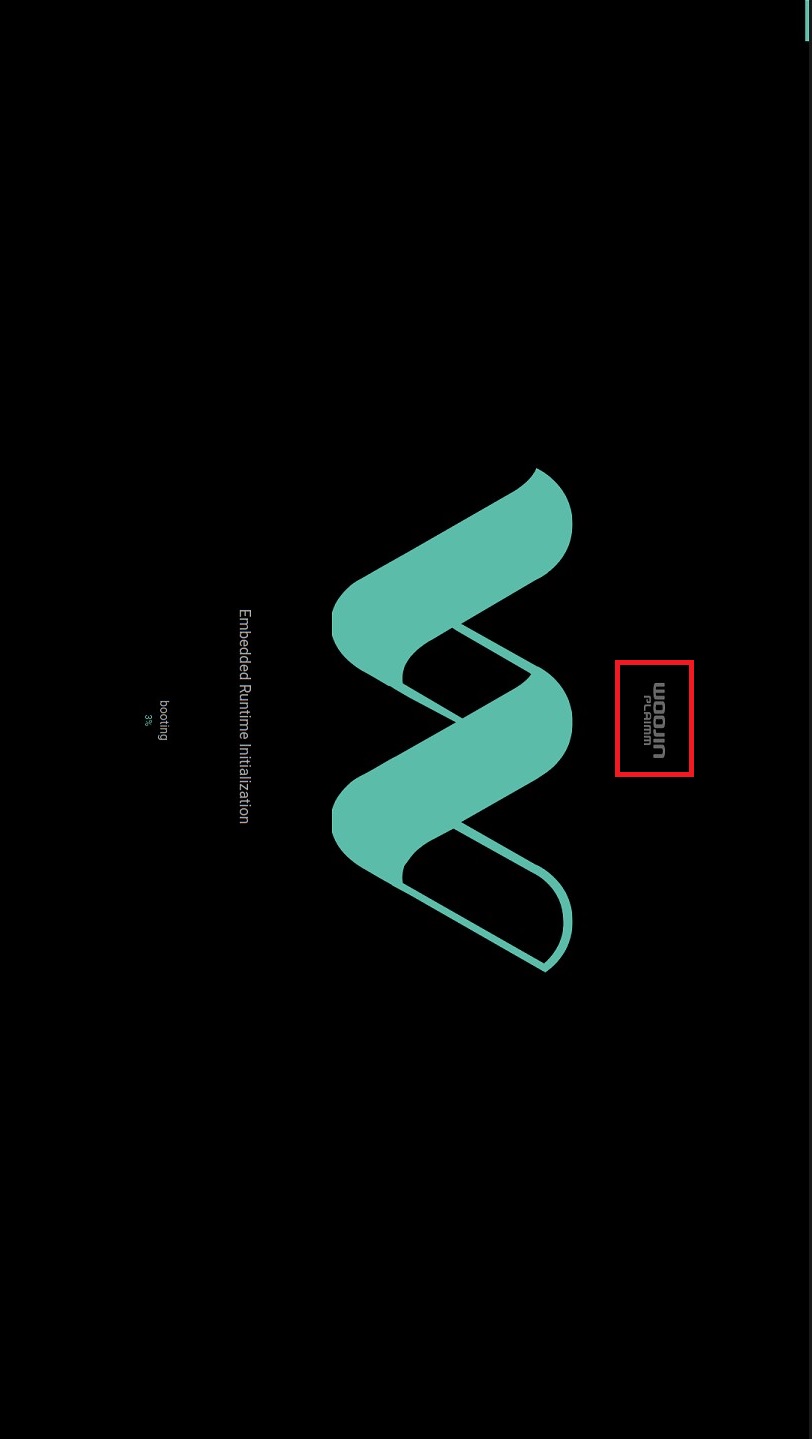
On the first boot, the screen will appear as shown below:
Step 1: Close the startup screen by pressing and holding the “Woojin Plaimm” logo for approximately 2 seconds.
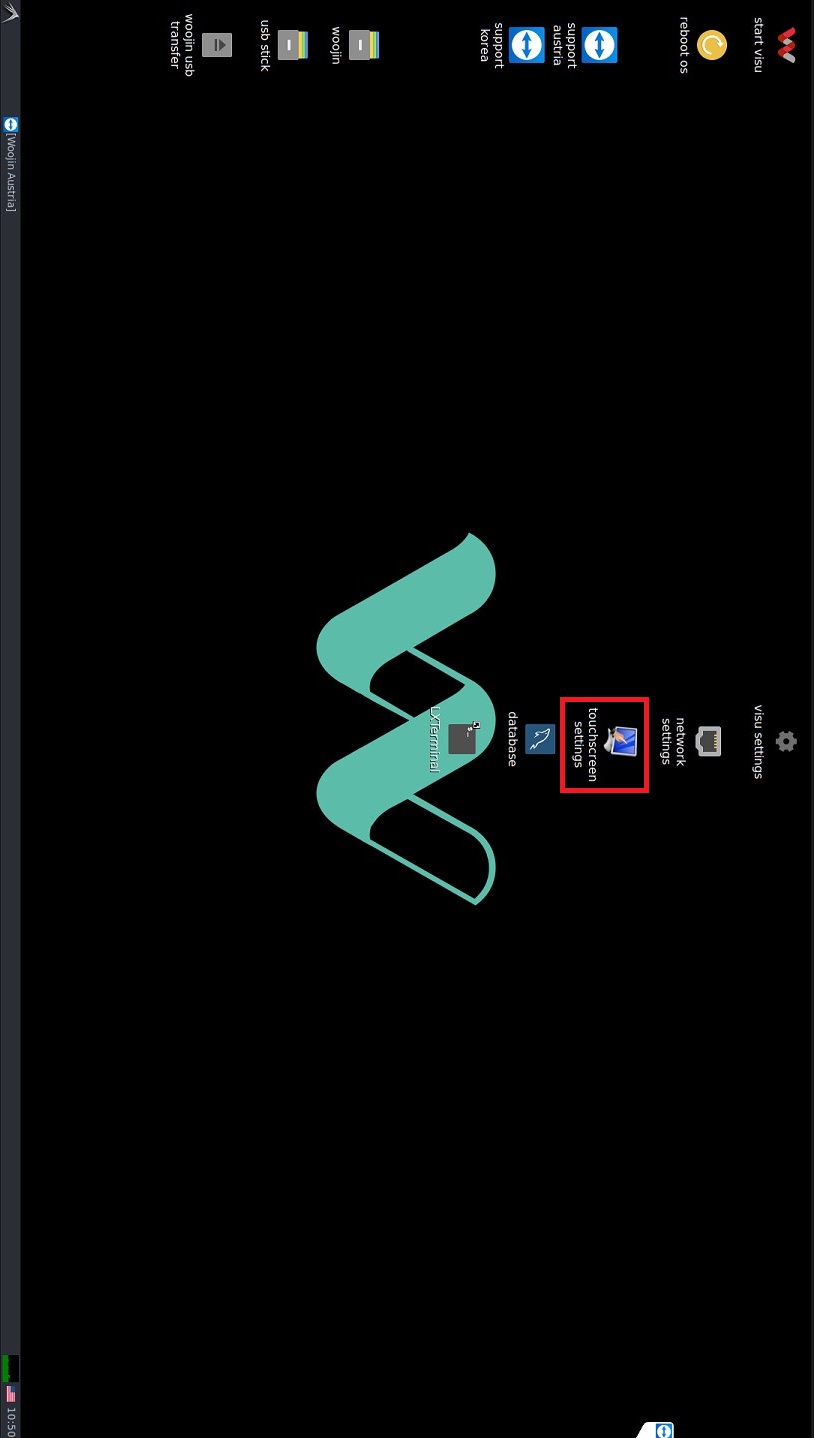
Step 2: Open “Touchscreen Settings” from the desktop.
Step 3: Set the rotation to 90° and click Apply.
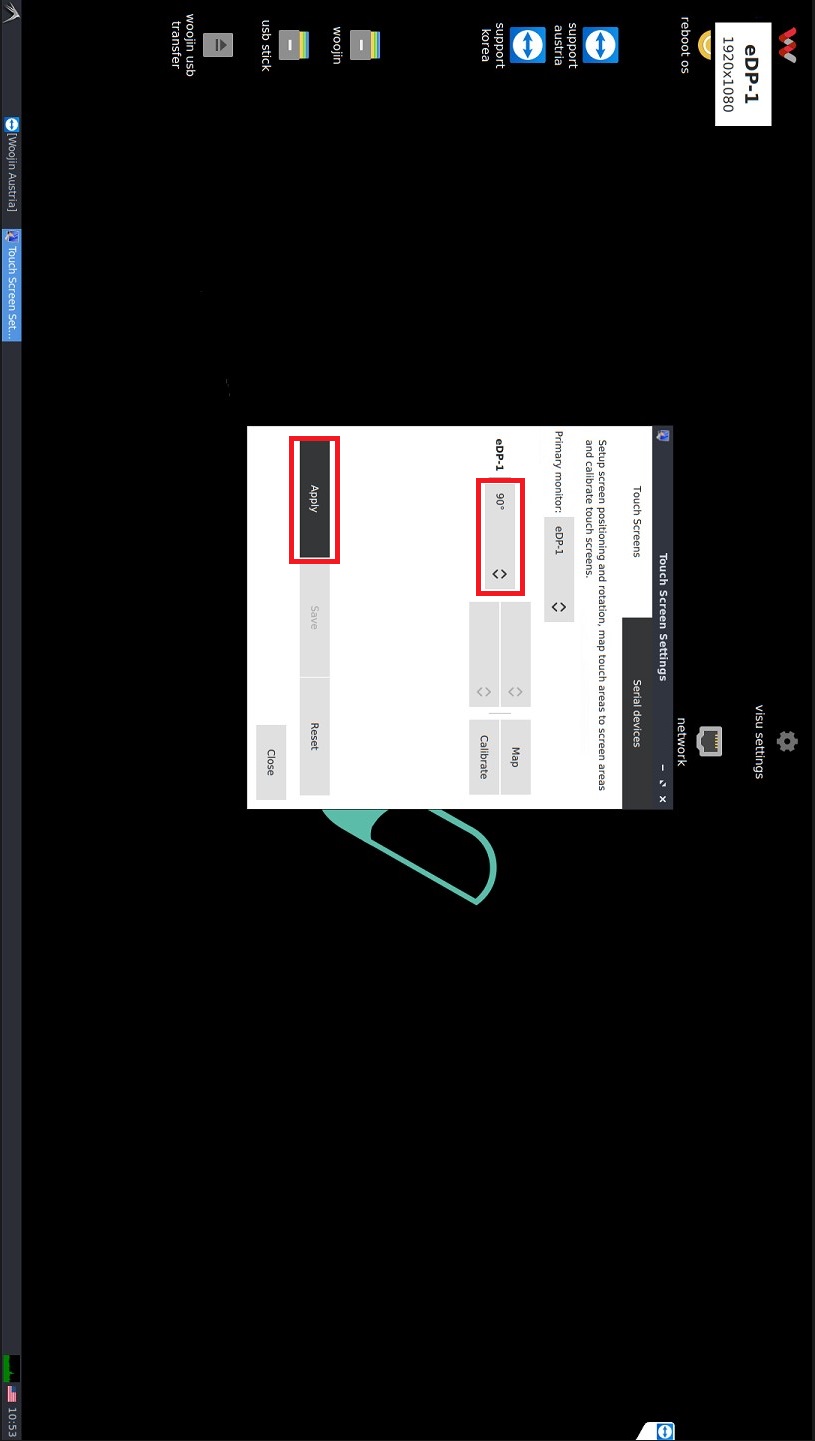
Step 4: If the screen is displayed correctly, click “Keep Changes“.
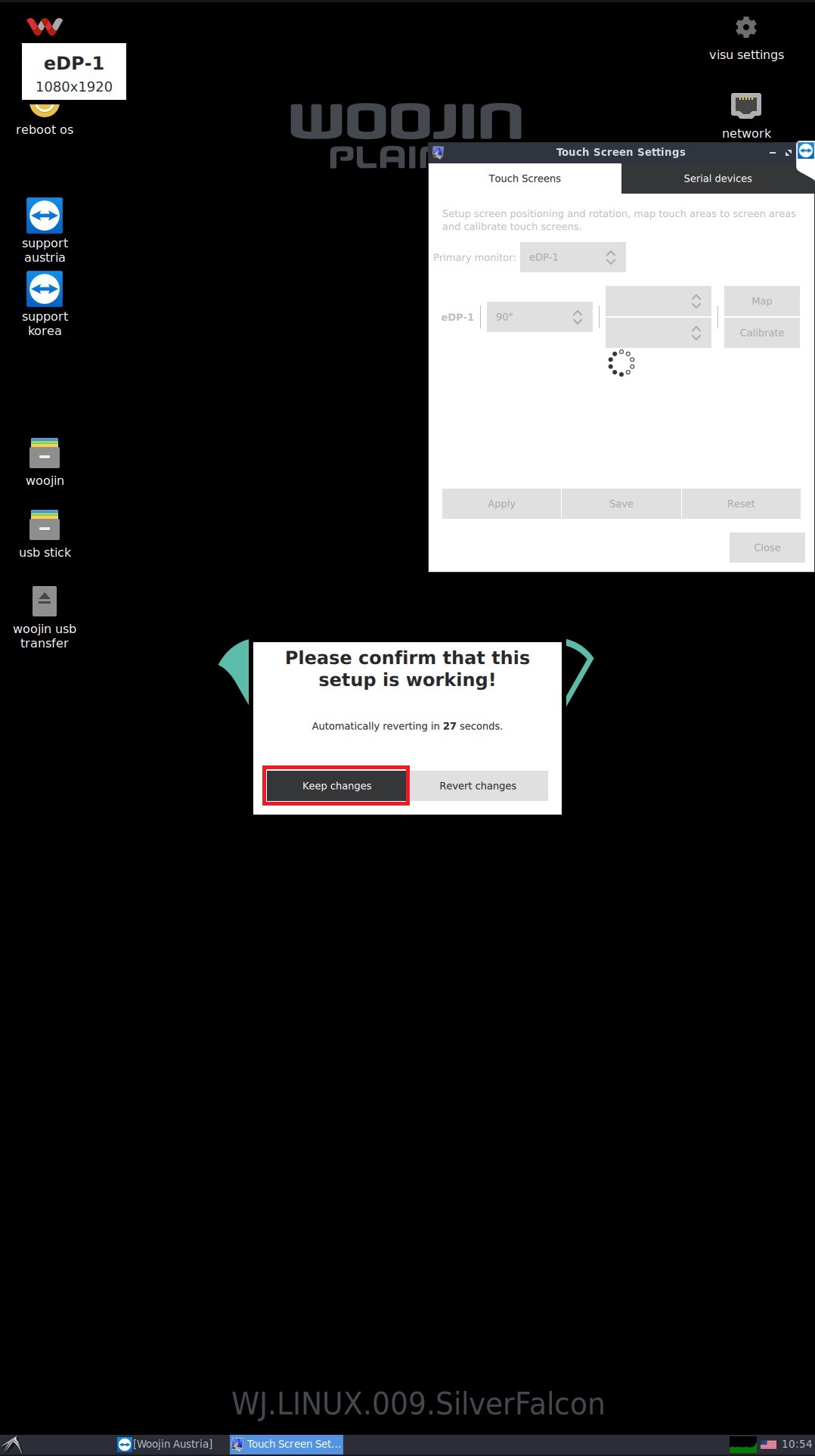
Step 5: Click Save and select “System-wide”. The setup is now complete and you can close the window.