


Welcome everyone, this is a new page that we will use to describe new developements, release notes, service manuals and all the daily stuff we might need in our work. This is still a work in progress and might change in the comming weeks but the principle will stay the same.
Below i will describe shortly how you can add a new post, edit an existing one and add a category to it.
Adding a post:
Simply look to the top of your page for the following button:

A new page will open where you can write your post, and once you are done you can proceede to setting up the post category.
Category:
In the right side of your screen, you can find a sidebar with Settings where you can change some properties. One of them is “Categories”. Click on the arrow to expand it and select the one related to your post.
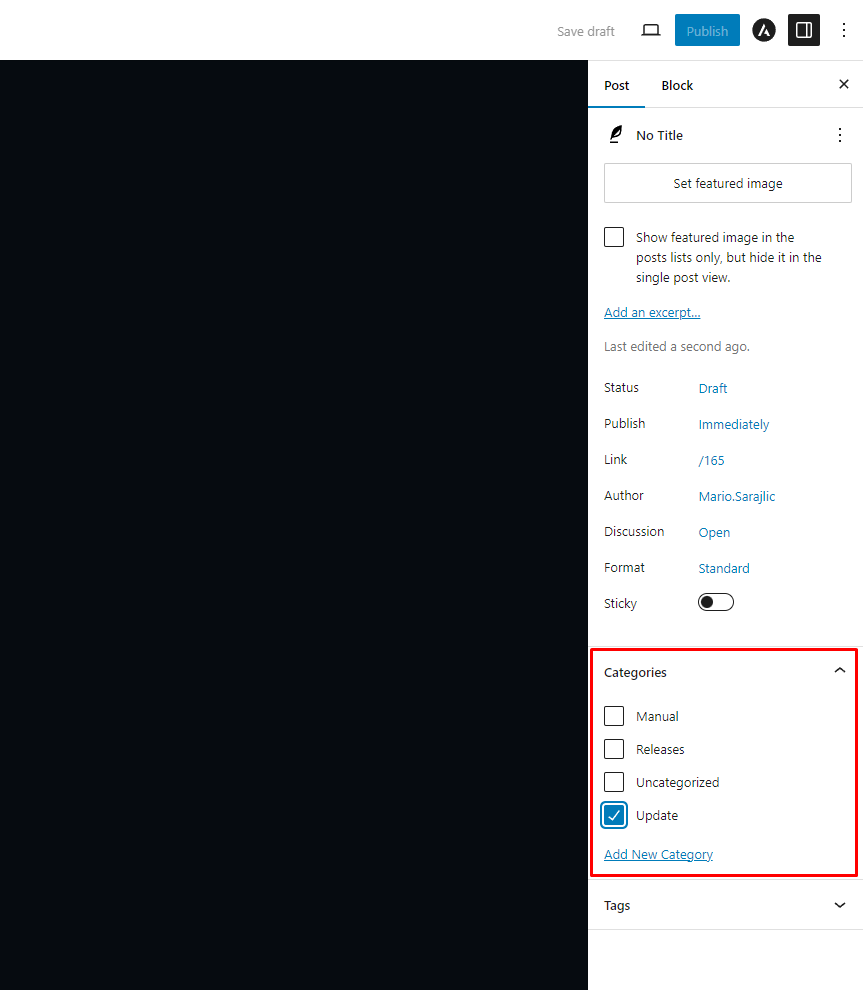
After this is completed you can controll everything one more time, check if you want to add any other properties to your post, and hit the Publish button in the top right corner.
You can also leave comments on posts.