


To streamline our communication and task management with KEBA, we will adopt GitLab’s “Issues” feature as our primary platform for collaboration. Below, I will outline the advantages and provide an overview of how we will use this feature effectively.
https://gitlab.woojin.help/wjATControlTeam/keba_general/-/issues
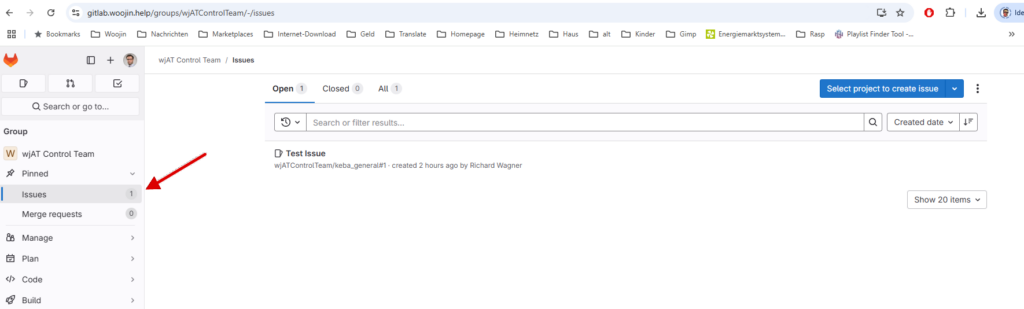
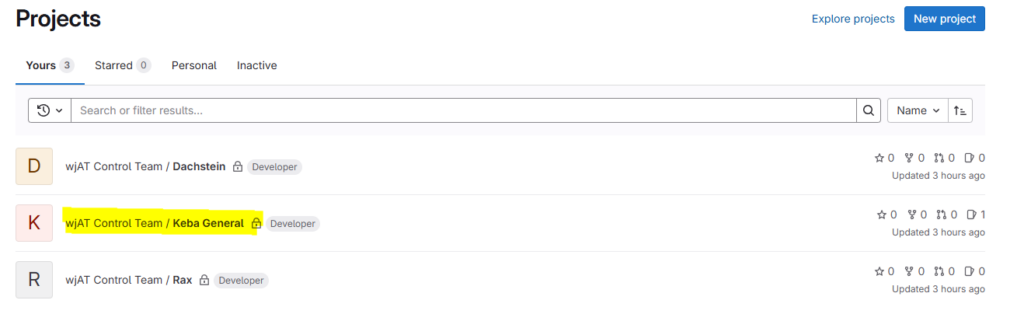
Project “Keba General” was created to handle communication with KEBA.
Advantages of Using GitLab Issues
Integrated Workflow
GitLab Issues integrate seamlessly with repositories, enabling us to link tasks to relevant code changes or merge requests.
Centralized Task Management
All tasks, requests, and updates are tracked in one place, ensuring full transparency and easy access for both teams.
Real-Time Collaboration
GitLab Issues enable us to comment, share updates, and upload attachments directly, eliminating the need for separate email threads or external tools.
Clear Responsibilities
Each issue can be assigned to specific individuals, making ownership and accountability straightforward.
Efficient Tracking and Prioritization
Labels, milestones, and due dates allow us to categorize and prioritize issues, ensuring that urgent matters are addressed promptly.
How to Use GitLab Issues
- Creating an Issue
- Navigate to the relevant repository in GitLab.
- Click on the “Issues” tab and select “New Issue.”
- Provide a clear title, description, and, if applicable, attach files or links.
- Assigning and Tracking
- Assign the issue to a responsible team member and set a due date if required.
- Use labels to categorize the issue (e.g., “Bug,” “Feature Request,” “KEBA Communication”).
- Collaborating on an Issue
- Add comments or updates directly under the issue to keep the discussion transparent.
- KEBA team members can also access and contribute to the issues, ensuring alignment on tasks.
- Closing an Issue
- Once the task is completed and verified, the issue can be closed.
By adopting GitLab Issues, we ensure that communication with KEBA is well-documented, structured, and easy to follow. Please take some time to familiarize yourselves with this feature, as we will start using it immediately for all KEBA-related tasks.
If you have any questions or need assistance with GitLab Issues, feel free to reach out.
(RW)