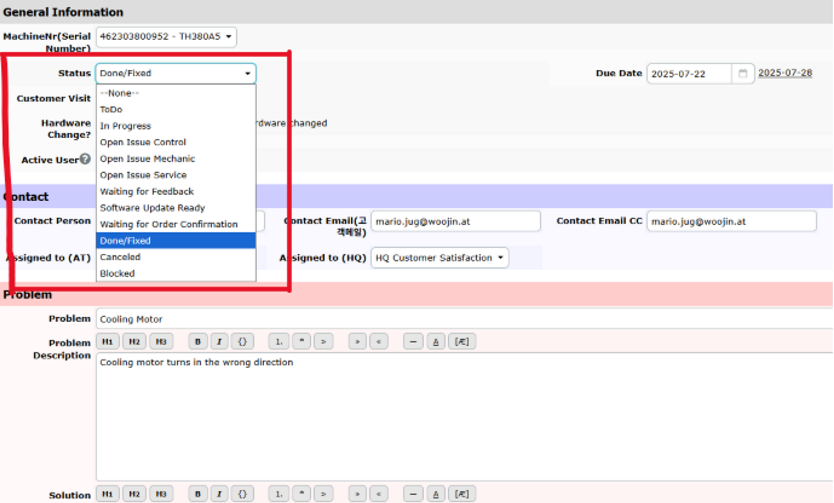

1. Registration Responsibility
- Machine registration in WJMDB is performed by the local subsidiary (branch office), not the headquarters.
- Reason: The customer name used locally may differ from the one designated by the headquarters, leading to inconsistencies if the HQ registers the machine.
Note: WJMDB is a platform designed to manage machine and service history specifically for overseas subsidiaries.
- Customer and Service Issue management must be handled by the local (overseas) branch.
- The Assign field for Service Issues should be set to the Customer Support Department at HQ.
- Once a Solution is provided by HQ, the local team should take action, and the Status must be updated by the local branch.
2. Machine Registration Procedure
Step 1: Pre-Installation – Customer & Machine Registration
- Before creating the Installation & Commissioning Report, the local team must:
- Check if the customer exists in WJMDB.
- If not, create a new customer entry.
- Register the new machine under the correct customer.
Step 2: Installation & Commissioning Report Creation
- After machine registration, complete the Installation and Commissioning Report.
- Be sure to include:
- Mold data
- Fix (parameter) data
- Program information (firmware/software versions)
Step 3: Report Submission
- Send the completed report via email to the Overseas Business Department at HQ.
Step 4: Service Issue Registration and Handling
- If any issues arise after installation, register a Service Issue for the relevant machine.
Registration steps:
- In WJMDB, select the machine and go to the Service Issue tab, then click New Issue.
- Fill in the issue details and attach documents or photos.
- Set the Assign field to the Customer Support Department at HQ.
Issue handling flow:
- HQ provides a Solution, and the local branch proceeds with implementation.
- After resolution, the Status of the issue must be updated by the local branch.