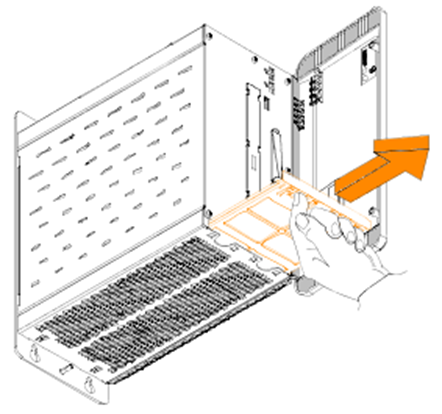

- APC910 / Replacing fan filters
- Disconnect the power supply to the B&R Industrial PC.
- Touch the housing or ground connection in order to discharge any electrostatic charge from your body.
- Open the front cover.
- To remove the fan filter from the B&R Industrial PC, push up on the locking mechanism while pulling the fan filter outward. The number of locking mechanisms may vary depending on the system unit.