


Commissioning Procedure Manual
(Based on WJMDB)
1. Machine Registration & Preparation
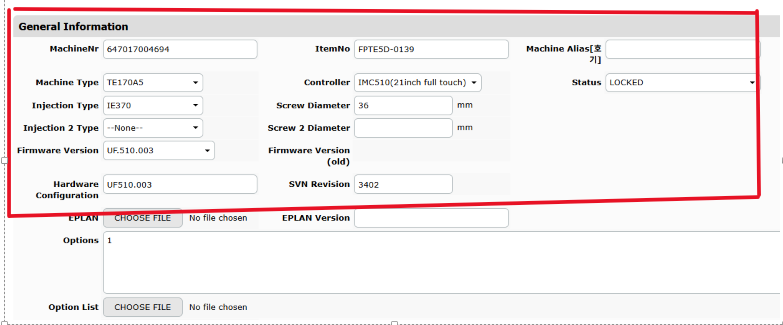
- Register the Machine in WJMDB
- Before starting commissioning, the machine must be registered under the correct customer in WJMDB.
- Go to the Machines tab and register the machine.
- Record any known issues or special notes related to the machine in the database.
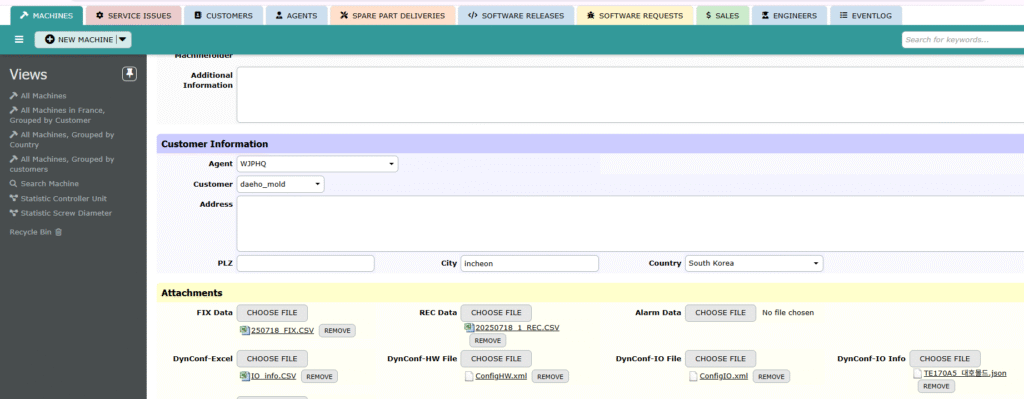
- Attach Related Files
- Upload all relevant documents in the Attachments section, including:
- FIX Data
- REC Data
- Program version
- Any installation-related PDFs
- Upload all relevant documents in the Attachments section, including:
- Assign to HQ & Notify via Email
- After registration and file upload:
- Assign the record to either the Overseas Business Department or the Customer Support Center at HQ.
- Send an email notification with a summary prior to commissioning.
- After registration and file upload:
2. Creating the Commissioning Report
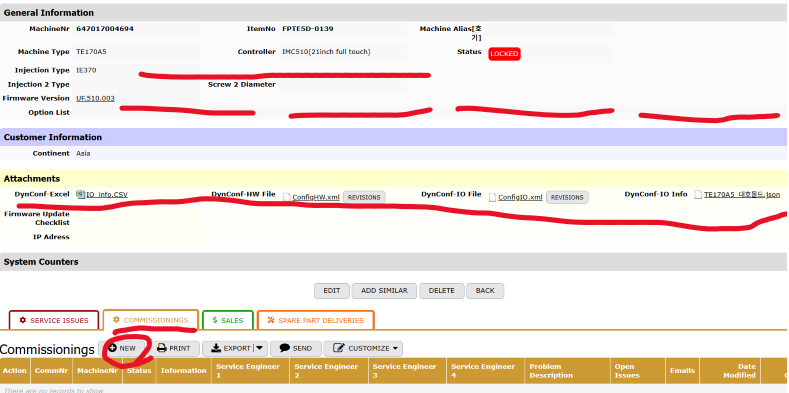
- Navigate to the Commissionings Tab
- Open the registered machine entry in WJMDB.
- Go to the COMMISSIONINGS section and click NEW.
- Fill in Commissioning Details
- The machine number is automatically linked.
- Enter the names of Service Engineers (up to 4 slots).
- Fill in:
- Information: General commissioning summary
- Problem Description: Any initial issues or required adjustments
- Open Issues: Unresolved matters, if any
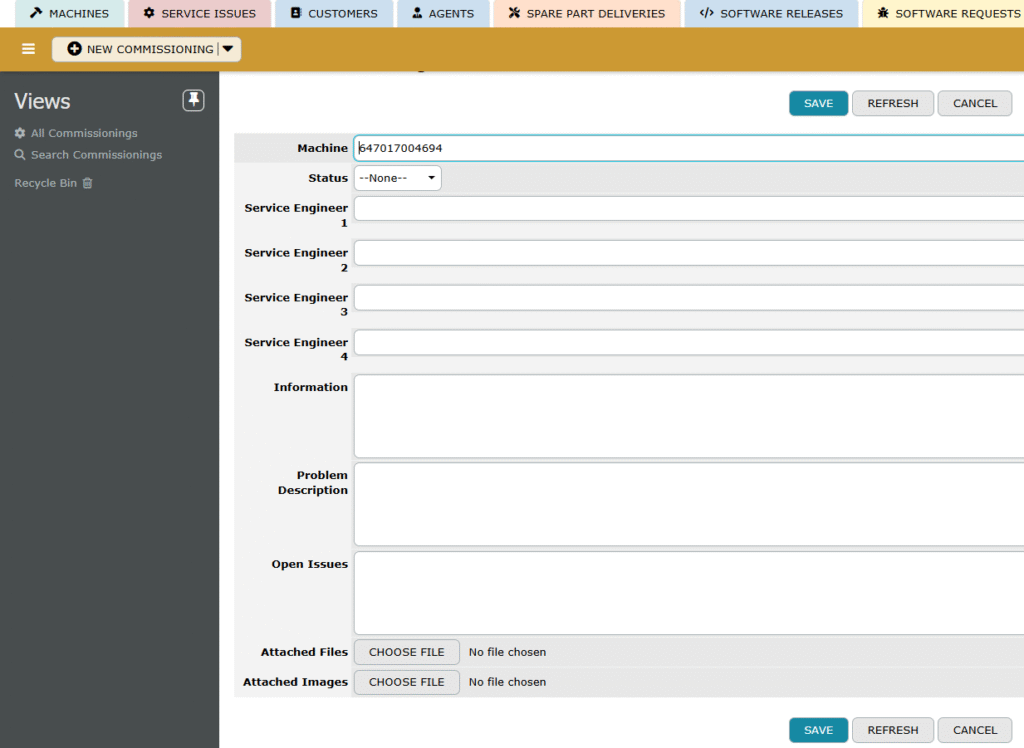
- Attach Files and Images
- Upload commissioning documents and site photos as needed.
- Save and Finalize
- Click SAVE to complete the report.
3. After Commissioning
- Once commissioning is complete, any future Service Issues can be reported using the registered machine data as a reference.
- If the machine is not registered in WJMDB, it may not be traceable for service or reporting purposes.