


This document provides an overview of the available xdotool scripts on our new Linux image.
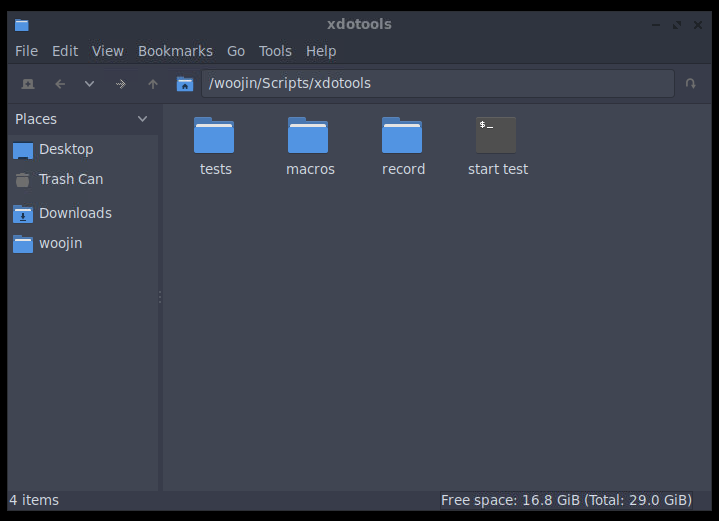
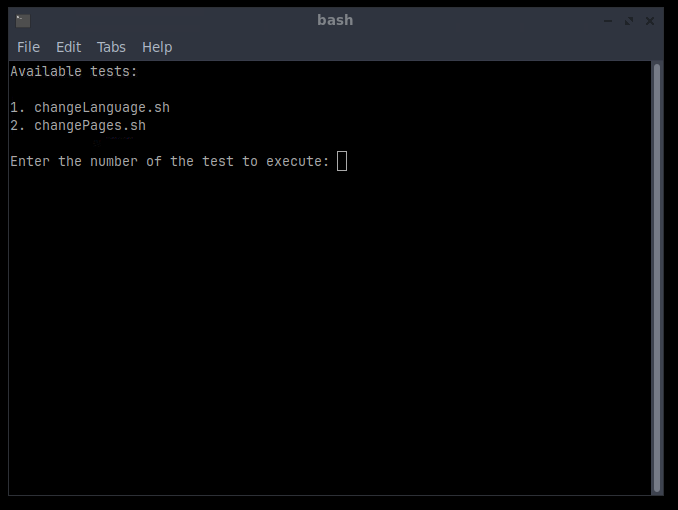
Navigate to Scripts, then xdotools, and run the program “start test”. After that, choose the script you want to start and enter the corresponding number in the input field. All scripts run in endless loops, restarting automatically after completion. To stop them, open the running “start test” file and press CTRL + C.
01_DryCycle
Note:
Before starting the process, ensure that you are logged in and that the machine was previously in manual mode, not in setting mode. This is required for correct operation.
Description:
The process starts with motor and heating activation. The clamp opens, the ejector moves back, then the clamp closes and opens again. Automatic mode runs for 300 seconds, followed by a 30-second pause. Then, manual mode is activated, heating and motor are turned off, and the system waits 5 seconds before restarting.
Open All Pages
Note:
It is essential to be logged in as a service user before starting the process.
Description:
Each page is called and loaded individually. The Calibration page is skipped.
Clamp Movement in Setting Mode
Note:
Before starting the process, ensure that you are logged in and that the machine was previously in manual mode, not in setting mode. This is required for correct operation.
Description:
The motor starts, and the clamp closes. After a brief pause, the clamp opens, followed by another pause. The ejector then moves forward and backward. This sequence is repeated three times before the motor is switched off.
Start Machine in Automatic Mode
Note:
Before starting the process, ensure that you are logged in and that the machine was previously in manual mode, not in setting mode. This is required for correct operation.
The set cycle time is 7 seconds. If your cycle time is longer, you can adjust it in the “tests” folder within the “Automatic_Mode.sh” file. There is a comment indicating where to modify the time.
Description:
The motor is started, and the machine is set to Automatic Mode. After approximately 10 cycles, the machine stops. It then returns to the home position before the motor is switched off.
Language and Unit Switching
Note:
It is essential to be logged in as a service user before starting the process.
Description:
All units are switched through, then all languages are loaded, taking 100 seconds per language. After loading the languages, all pages are opened once. Once all pages are opened, navigation occurs backward with the navigation buttons, moving a maximum of 8 steps, followed by 8 steps forward.