


Requirements
- Software:
- DiskGenius Free Portable
- HDD Raw Copy Tool
- Linux image file (Download on Release Overview Page)
- Hardware:
- CompactFlash (CFast) Card
- CFast Card Reader
Step-by-Step Guide
Step 1: Format CFast Card
- Download DiskGenius Free Portable and extract the ZIP file.
- Insert CF card into your PC via card reader.
- Run DiskGenius.exe inside the extracted folder.
- Identify and select your CFast card.
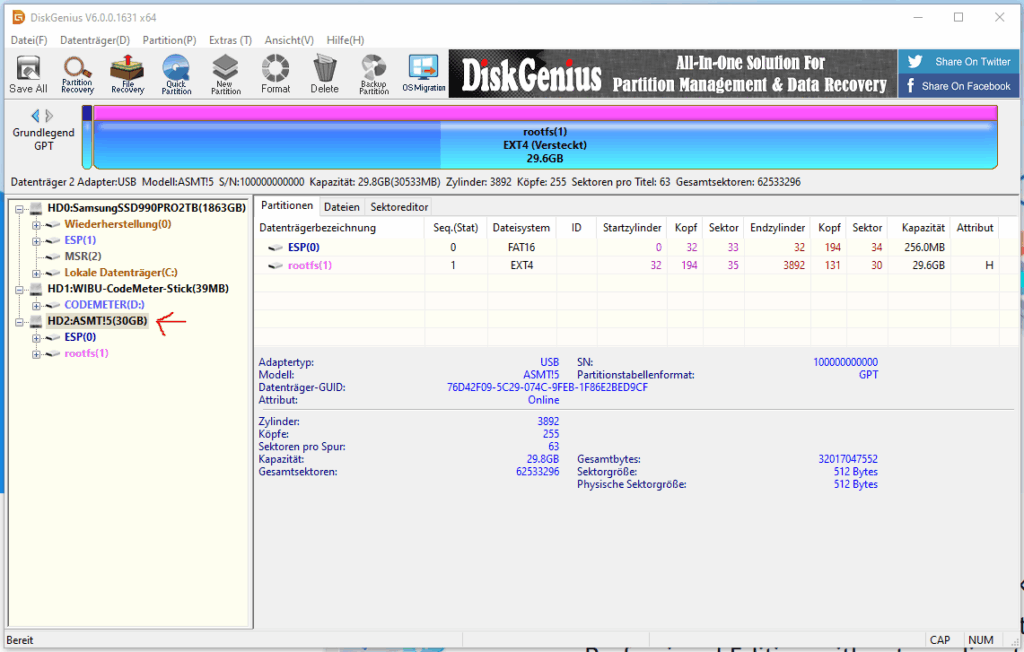
- Click on the partition and after that click “Delete” on the top. (and confirm)
- Repeat this process untill all partitions are selected. (Only unallocated space)
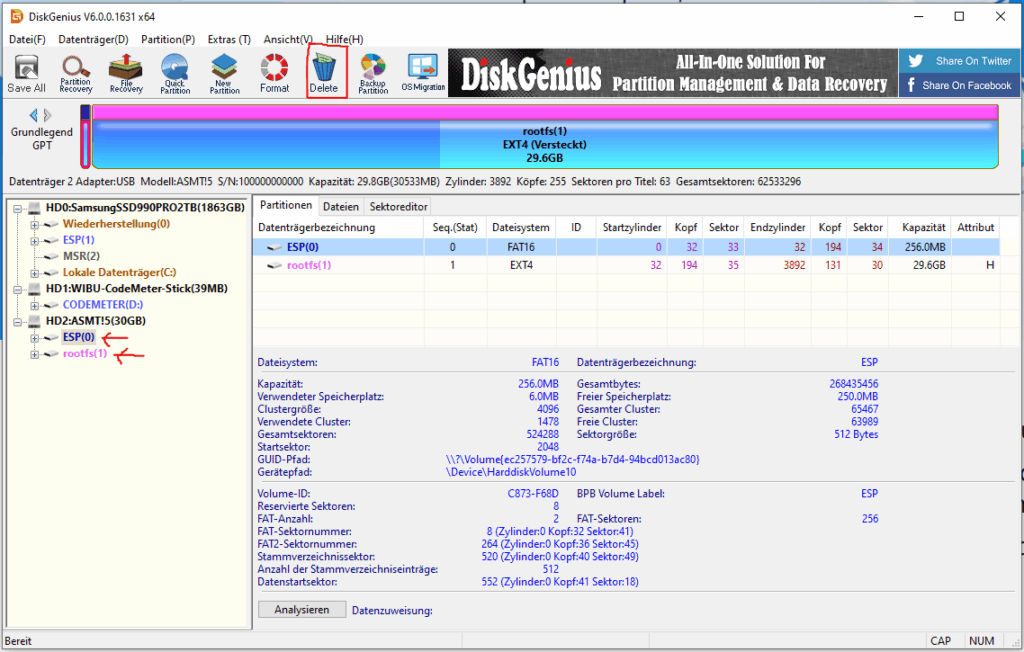
- Press “Save All” and confirm
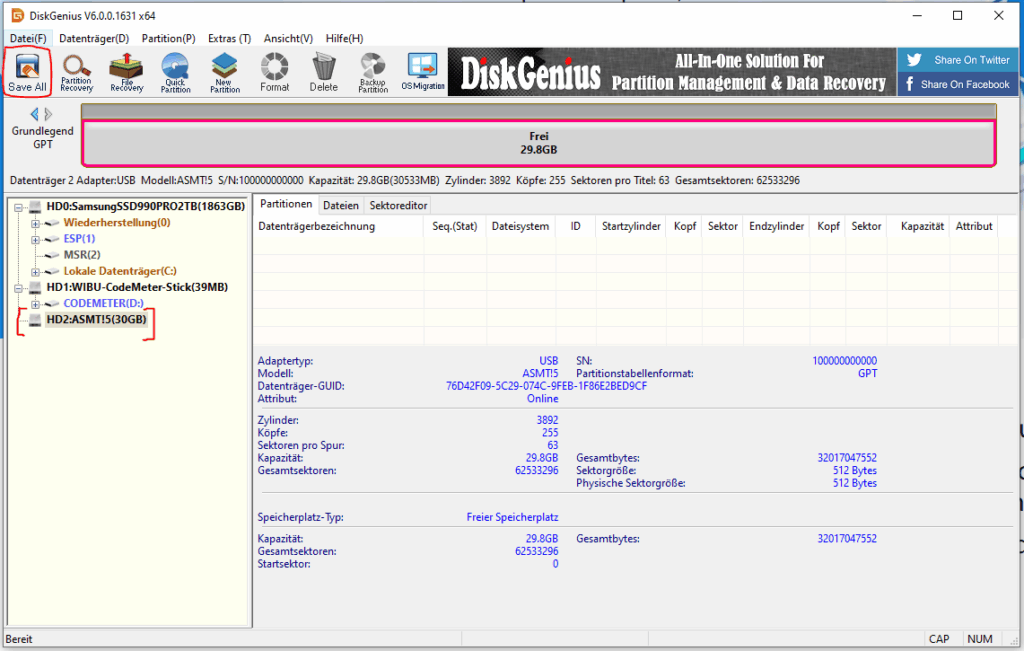
- Now the card is ready for installation
Step 2: Write Linux Image
- Download and install HDD Raw Copy Tool.
- Launch HDD Raw Copy Tool.
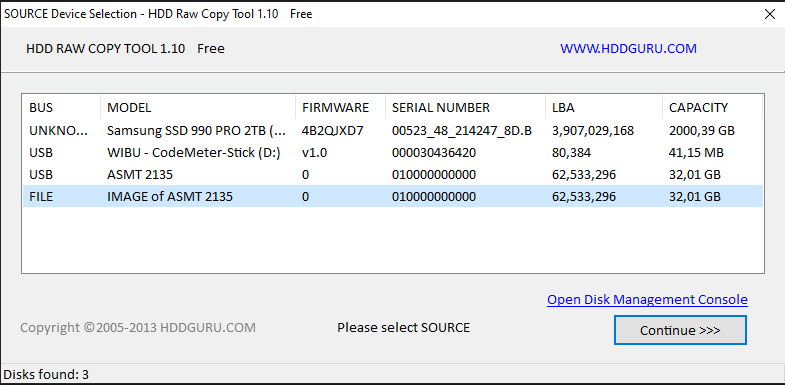
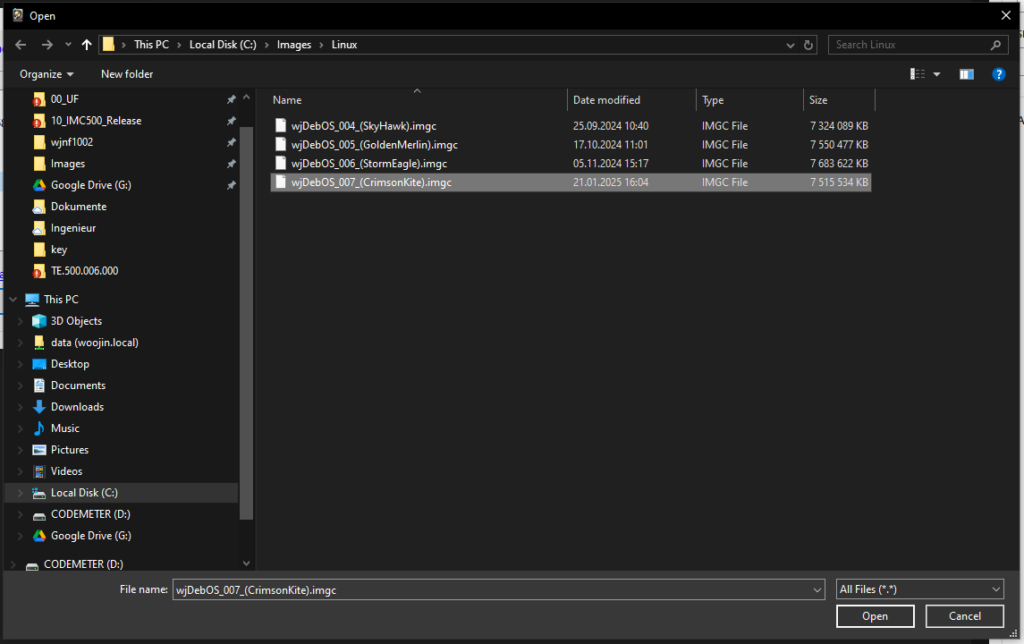
- Click “FILE” as source and select your Linux image file (
.imgc file). - Click “Continue”.
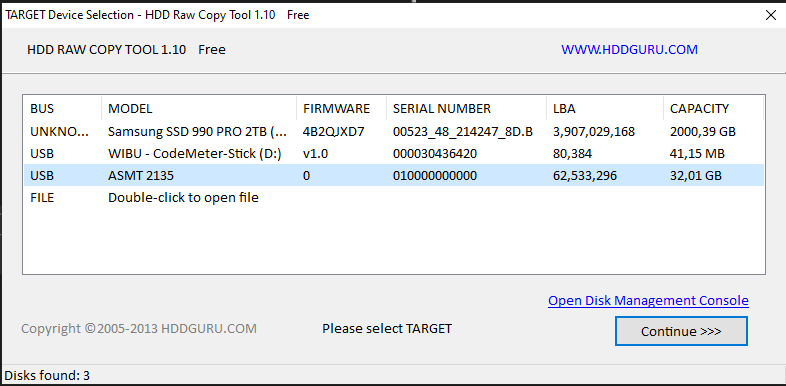
- Choose your CF card as the destination.
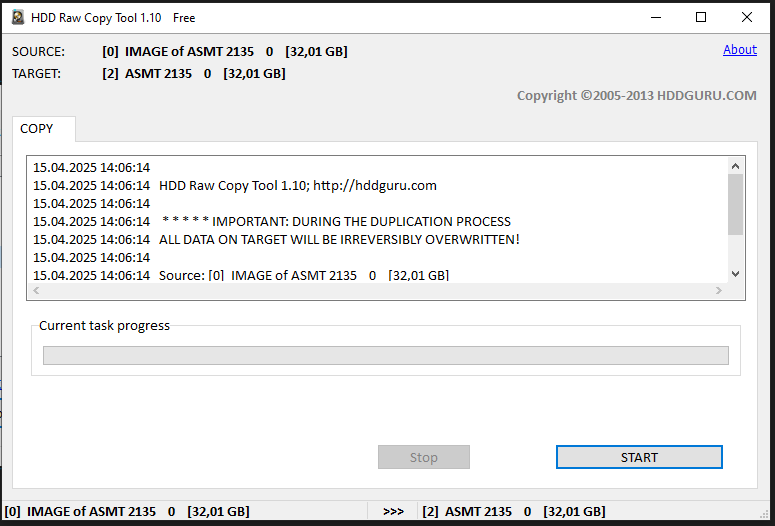
- Click “Start” and wait untill the process is finished
- Once the installtion is finished, you can put the card back in the PPC
I would like to inform you that EaseUS Partition Master is not free for commercial use and requires a valid license.
Could you please confirm whether a license has been purchased for use in Austria?
Thank you for the information, I didn’t know that…
I already found an alternative, which is free for commercial use: https://www.diskgenius.com/download.php
I will adjust the manual to use that tool instead.
thank you very much.